
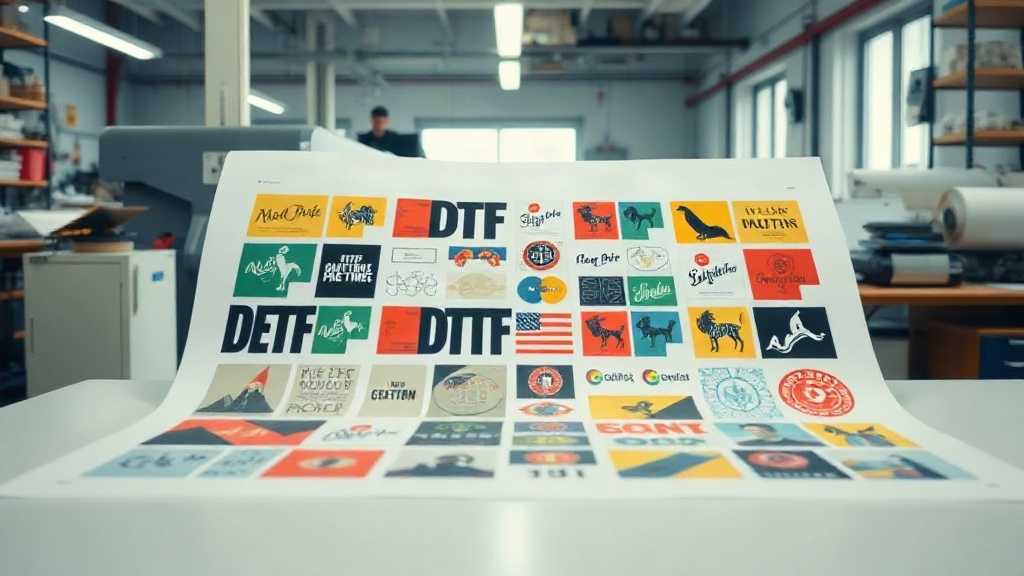
If you're in the custom apparel business, you've probably heard about DTF printing. It's a game-changer for producing vibrant, durable transfers on various fabrics. But did you know that you can take your DTF printing to the next level with gangsheets? A DTF gangsheet is a large sheet containing multiple designs arranged efficiently, allowing you to print many transfers in one go. This not only saves time but also reduces material waste and boosts your profit margins. In this guide, we'll dive deep into DTF gangsheets, covering everything from the basics to advanced strategies. Whether you're a seasoned pro or just starting, you'll find actionable tips to optimize your workflow.
What Exactly Is a DTF Gangsheet?
A DTF gangsheet is a single large film sheet that holds multiple DTF transfers. Instead of printing one design at a time, you arrange various designs onto one sheet, maximizing the use of the film and ink. The term "gangsheet" comes from the idea of "ganging up" multiple jobs together. This approach is similar to gang printing in offset lithography, where multiple jobs are combined to save resources. In DTF printing, gangsheets are typically created using RIP software that nests designs efficiently. The sheet is then printed, powdered with hot-melt adhesive, and cured. When you're ready to press, you simply cut out each design and apply it to your garment. The result is a cost-effective, high-quality transfer that meets the demands of custom apparel businesses.
Why Gangsheets Matter for Your Business
Time and money are the two most critical resources in any printing business. Gangsheets address both. By printing multiple designs on one sheet, you reduce the number of print cycles, which means less machine time and lower labor costs. You also minimize waste because you can nest designs tightly, using more of the film and powder. For example, if you have a batch of 20 different t-shirt designs, printing them individually would require 20 separate sheets and multiple setups. With a gangsheet, you can fit all 20 designs onto one or two sheets, slashing production time and material costs. Moreover, gangsheets allow you to offer competitive pricing without sacrificing quality, giving you an edge in the market.
How to Create a DTF Gangsheet: Step-by-Step
Creating a gangsheet might seem daunting, but with the right tools and process, it's straightforward. Here's a step-by-step guide:
- Prepare Your Designs: Ensure all designs are in a high-resolution format (300 DPI or higher) with transparent backgrounds. This is crucial for crisp, vibrant prints.
- Use RIP Software: Software like Cadlink, AcroRIP, or DTF-specific tools allow you to import multiple designs and nest them automatically. You can adjust spacing and orientation to maximize sheet usage.
- Set Up the Sheet: Choose the appropriate film size for your printer. Common sizes are 13x19 inches, 24 inches wide rolls, etc. Arrange designs to fill the sheet while leaving a small margin for handling.
- Print and Powder: Print the sheet using DTF ink, then apply hot-melt adhesive powder evenly. Shake off excess and cure the sheet in an oven or with a heat press.
- Cut and Press: Once cured, cut out each design and store them until needed. When applying, use a heat press at 325°F for 15 seconds with medium pressure.
Pro tip: Always test your gangsheet settings on a small scale before full production. This helps you catch issues with color, adhesion, or nesting early.
Maximizing Efficiency with DTF Gangsheets
To get the most out of your gangsheets, consider these strategies:
- Nesting Algorithms: Use software with advanced nesting to automatically rotate and position designs for minimal waste.
- Batch Similar Jobs: Group designs by size, color, or fabric type to streamline pressing and reduce errors.
- Standardize Sizes: If you frequently print certain designs, create templates for common gangsheet layouts to save setup time.
- Monitor Ink and Powder Usage: Keep track of consumption to identify cost-saving opportunities.
By implementing these tactics, you can turn gangsheet printing into a well-oiled machine.
Common Mistakes to Avoid
Even experienced printers make mistakes with gangsheets. Here are pitfalls to watch for:
- Overcrowding: Packing designs too tightly can cause cutting errors and adhesive issues. Leave a small gap between designs.
- Ignoring Film Orientation: Some films have a coated side; printing on the wrong side ruins the transfer.
- Inconsistent Powder Application: Too much powder leads to a rough feel; too little causes poor adhesion. Use a powder shaker for even coverage.
- Skipping Curing: Under-cured transfers will crack or peel. Always follow the manufacturer's curing guidelines.
DTF Gangsheet vs. Traditional DTF Printing
Traditional DTF printing involves printing one design per sheet, which is simple but inefficient for bulk orders. Gangsheets flip that model by combining many designs into one print job. The advantages are clear: lower cost per transfer, faster production, and less waste. However, gangsheets require more upfront planning and the right software. For businesses that print a variety of designs regularly, the investment pays off quickly. For one-off custom jobs, traditional printing might still be more practical. Assess your production volume and mix to decide which approach suits you best.
Applications of DTF Gangsheets
Gangsheets are versatile and can be used for a wide range of applications:
- Custom T-Shirts: Print multiple sizes and designs for a single order.
- Team Uniforms: Create numbered jerseys and logos efficiently.
- Promotional Items: Produce transfers for tote bags, hats, and more in bulk.
- Sample Packs: Offer customers a variety of designs in one affordable pack.
The possibilities are endless, limited only by your creativity.
Frequently Asked Questions About DTF Gangsheets
What is the ideal size for a DTF gangsheet?
The ideal size depends on your printer's maximum print width and the number of designs you need. Common sizes are 13x19 inches for desktop printers and 24-inch-wide rolls for larger machines. Choose a size that minimizes waste while accommodating your designs.
Can I mix different designs on one gangsheet?
Absolutely. Gangsheets are designed for mixing multiple designs. Just ensure they are all properly nested and have enough spacing for cutting.
How do I store DTF gangsheets before use?
Store them in a cool, dry place away from direct sunlight. Keep them flat or rolled loosely to prevent creasing. Avoid stacking heavy objects on top.
Do I need special software to create gangsheets?
Yes, RIP software with nesting capabilities is essential. Popular options include Cadlink Digital Factory, AcroRIP, and DTF Station's RIP. Some printers come with proprietary software.
What is the cost savings of using gangsheets?
Savings vary based on design sizes and film costs, but many printers report 30-50% reduction in material costs and significant time savings. The more designs you fit, the greater the savings.
Mastering DTF gangsheets can transform your printing business. By understanding the process, avoiding common mistakes, and leveraging efficiency tips, you'll produce high-quality transfers faster and more profitably. Start experimenting with gangsheets today and watch your productivity soar.