
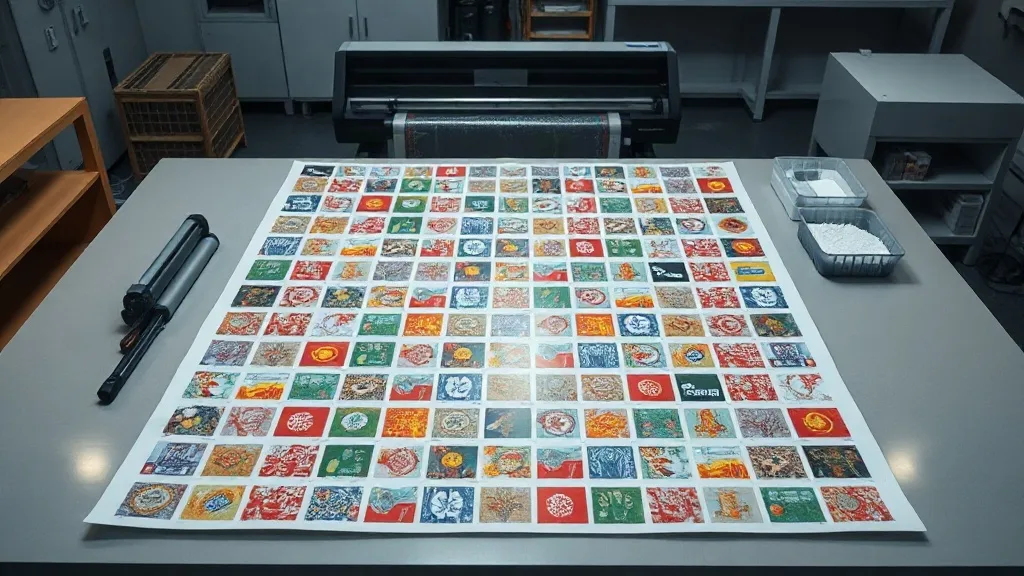
Ask anyone who runs a DTF printer what eats their margin and you rarely hear about ink prices first. It is the film. A roll of transfer film disappears faster than most new shop owners expect, and the culprit is usually not the printer but the layout. An inefficient DTF Gangsheet leaves empty pockets of film that were paid for, printed around and then thrown in the bin. Fixing that single habit is one of the cheapest upgrades available to any print operation, and it does not require new hardware.
This guide walks through where waste actually comes from in a gangsheet workflow, how to nest artwork so the film earns its keep, and the small operating rules that keep a busy shop from bleeding money on jobs that looked profitable on paper.
Why the Sheet, Not the Printer, Decides Your Profit
A DTF transfer is a stacked cost: film, ink, adhesive powder, curing time and labor. Film is the easiest of those to measure and the easiest to overuse. If you print one 10-inch design on a 13-inch wide roll, you have already given away three inches of width on that job. Multiply that across a day of orders and the loss becomes a line item nobody budgeted for.
Gangsheets exist precisely to solve this. Instead of sending one design at a time, you arrange many jobs on a single canvas, print once, powder once and cure once. The efficiency gain is not marginal. A well-packed sheet can hold two to three times the artwork of a loose layout on the same length of film, which means the per-transfer cost drops even though your ink and powder usage stays roughly proportional.
The three real cost drivers
- Film area: every square inch of empty space is paid film you cannot recover.
- Powder overspray: wide gaps and scattered placement make it harder to apply adhesive evenly and reclaim excess.
- Press cycles: two half-empty sheets mean two passes through the curing station instead of one.
Notice that none of these are about print quality. Waste reduction and quality improvement are not in conflict here. Tighter layouts generally produce more consistent results because the material handling is more uniform.
How to Nest Artwork on a DTF Gangsheet
Nesting is the craft of fitting shapes together so the leftover space is as small as possible. Most rip software will do a pass at this automatically, but automatic nesting is only as good as the constraints you give it. Garbage in, garbage out.
Start with a real width, not a guess
Know your printable width precisely. A 13-inch roll typically gives you around 12.5 inches of usable area after you account for edge margins and the printer's own limits. Build your canvas to that number, not to the nominal roll size. Shops that design to the roll width and then discover the outer half inch is unusable end up reprinting, which is the most expensive kind of waste.
Group by job, then by size
A useful habit is to separate the sheet into zones. Put large designs on one side, then fill the remaining area with smaller ones. Do not scatter small logos randomly across the canvas hoping they fit. Clustering similar sizes lets you apply powder in a controlled sweep rather than chasing isolated patches.
If you are printing for stock rather than for a specific order, build a sheet around your best sellers. A sheet full of designs that sit in inventory for months is still waste, just deferred.
Respect the cut gap
Every design needs breathing room so you can trim it cleanly. A gap of roughly 0.1 to 0.15 inches is usually enough for a steady hand with a trimmer or a cutter. Going tighter saves film but slows down finishing and raises the risk of nicking a neighboring transfer. The right gap is the smallest one your team can reliably cut at speed.
Margins, Bleed and the Edges People Forget
The outer edge of the film is a common blind spot. Printers need a small unprinted border to grip and feed the sheet without smearing. If artwork runs to the very edge, you risk ink transfer onto rollers and a jam that costs far more than the film you tried to save.
Leave a consistent border on all four sides, typically a quarter inch. Then treat that border as untouchable in your layout template so nobody accidentally fills it. Templates are worth the ten minutes it takes to set them up, because they remove the decision from the person under deadline pressure.
Watch the powder zone
Adhesive powder is applied after printing, and it sticks to wet ink. Areas of film with no ink will not hold powder well, which is fine, but they do collect loose powder that has to be shaken off and recovered. A sheet with large empty regions means more loose powder to manage and a higher chance of stray specks curing onto a transfer. Compact layouts are cleaner to handle.
Building a Repeatable Gangsheet Workflow
Efficiency comes from routine, not from heroic effort on individual jobs. The shops that keep film costs low tend to follow the same sequence every time.
- Collect orders into batches. Hold small jobs for a few hours and print them together rather than running each one the moment it arrives.
- Sort by film type and color profile. Mixing jobs that need different settings on one sheet forces compromises.
- Load a template matching your roll width. Never start from a blank canvas if you can avoid it.
- Nest large to small. Place the biggest items first, then fill gaps with smaller artwork.
- Review before printing. A thirty-second visual check catches overlaps, missing bleed and edge violations.
- Log the yield. Note how much film the sheet used versus how much artwork it carried. That ratio is your real efficiency score.
That last step is the one most shops skip, and it is the one that actually drives improvement. Without a number, you are guessing whether the new layout is better or just different.
When a Full Sheet Is the Wrong Choice
There is a temptation to fill every sheet completely, and it is not always correct. If a customer needs a single urgent transfer, waiting to fill a sheet delays the order and may cost you the relationship. Rush jobs justify a partial sheet. The goal is to reduce waste across the week, not to win every individual sheet.
Similarly, very large single designs may not gang well at all. A full back print that spans most of the roll width leaves little room for anything else, and forcing small items into the leftover strip can create trimming problems. Recognize when a design should run alone.
Color and ink coverage matter too
Two designs can occupy the same film area but use very different amounts of ink. A dense photographic print with heavy white underbase costs far more than a simple line logo. When you build a sheet, balance ink-heavy designs with lighter ones so the overall cost per transfer stays predictable. This also helps curing, since a sheet with wildly uneven ink coverage can dry at different rates across its surface.
Common Mistakes That Quietly Raise Costs
After enough sheets, certain errors show up again and again. Here are the ones worth watching for.
- Designing to the roll's nominal width instead of its printable width.
- Skipping bleed on designs that will be cut close to the artwork edge.
- Printing a sheet without checking that every file is the correct resolution and color mode.
- Letting the powder station get contaminated with mixed particle sizes, which affects adhesion.
- Storing finished transfers without interleaving, causing them to stick and tear.
None of these are dramatic. Together they explain why two shops with identical equipment can report very different material costs at the end of a quarter.
Frequently Asked Questions
How many designs can fit on one DTF Gangsheet?
It depends entirely on the size of the artwork and the width of your film. A 22-inch wide by 12-inch tall sheet can hold a dozen small chest logos or a single large back print. The useful measure is not the count but the coverage ratio: how much of the film area carries ink versus how much is empty.
Does gangsheet layout affect transfer durability?
Indirectly, yes. Sheets with tight, even layouts cure more consistently because the powder application is uniform and the press contact is predictable. Scattered layouts with large gaps tend to have uneven powder coverage, which can lead to weak spots after washing.
Should I always fill empty space with stock designs?
Only if those designs actually sell. Filling gaps with slow-moving artwork converts film waste into inventory waste, which is not an improvement. Fill with proven sellers or with jobs you already have orders for.
What is a good gap between designs for trimming?
Around 0.1 to 0.15 inches works for most shops using a trimmer or cutter. If your team cuts by hand with scissors, give a little more room to keep the process fast and safe.
Can I reuse leftover film from a partial sheet?
Once film has passed through the printer and curing station, it is no longer usable for new prints. The way to avoid leftovers is to plan sheet size before printing, not to salvage film afterward.
Turning Layout Discipline Into Margin
Every shop that prints transfers regularly has the same raw materials and roughly the same equipment. What separates the ones that stay profitable is how carefully they treat the space on each sheet. Nesting tightly, respecting printable widths, batching orders and tracking your yield ratio are all unglamorous habits, but they compound quickly. Start with one change this week, measure the film you save, and let the numbers make the case for the rest.